CUSTOM CRM DEVELOPMENT

A custom CRM.
Built around your process.

A CRM should reflect how you win and look after customers. Bring conversations, sales stages and team handovers into a workspace built around your process.

Free initial conversation. No obligation.

YOUR CUSTOMER WORKSPACEInterface
NC

North & Co.

One relationship. The whole picture.

Active
RELATIONSHIP TIMELINE
  • Enquiry receivedContext captured with the customer
  • Discovery conversationNotes available to your team
  • Handover to deliveryResponsibilities stay clear
THE NEXT STEPFollow up with a proposal

Assigned to the account owner

Customer context included
Fields, stages and permissions shaped around your customer journey.

A clear thread from first enquiry to long-term customer.

When follow-ups live in inboxes and handovers happen in chat, the relationship loses its history. Design the CRM around what needs to happen next.

  1. 01

    Capture the right context

    Bring enquiries and customer records together with fields that mean something to your business.

  2. 02

    Make follow-up visible

    Give each opportunity a stage, an owner and a clear next action. Design reminders around your actual sales cycle.

  3. 03

    Hand over without starting again

    Carry the useful context from sales into onboarding, account management or delivery, with access appropriate to each role.

  4. 04

    See the bigger picture

    Shape reporting around the questions managers need answered, from pipeline visibility to incomplete actions.

Relationships, with the context to act.

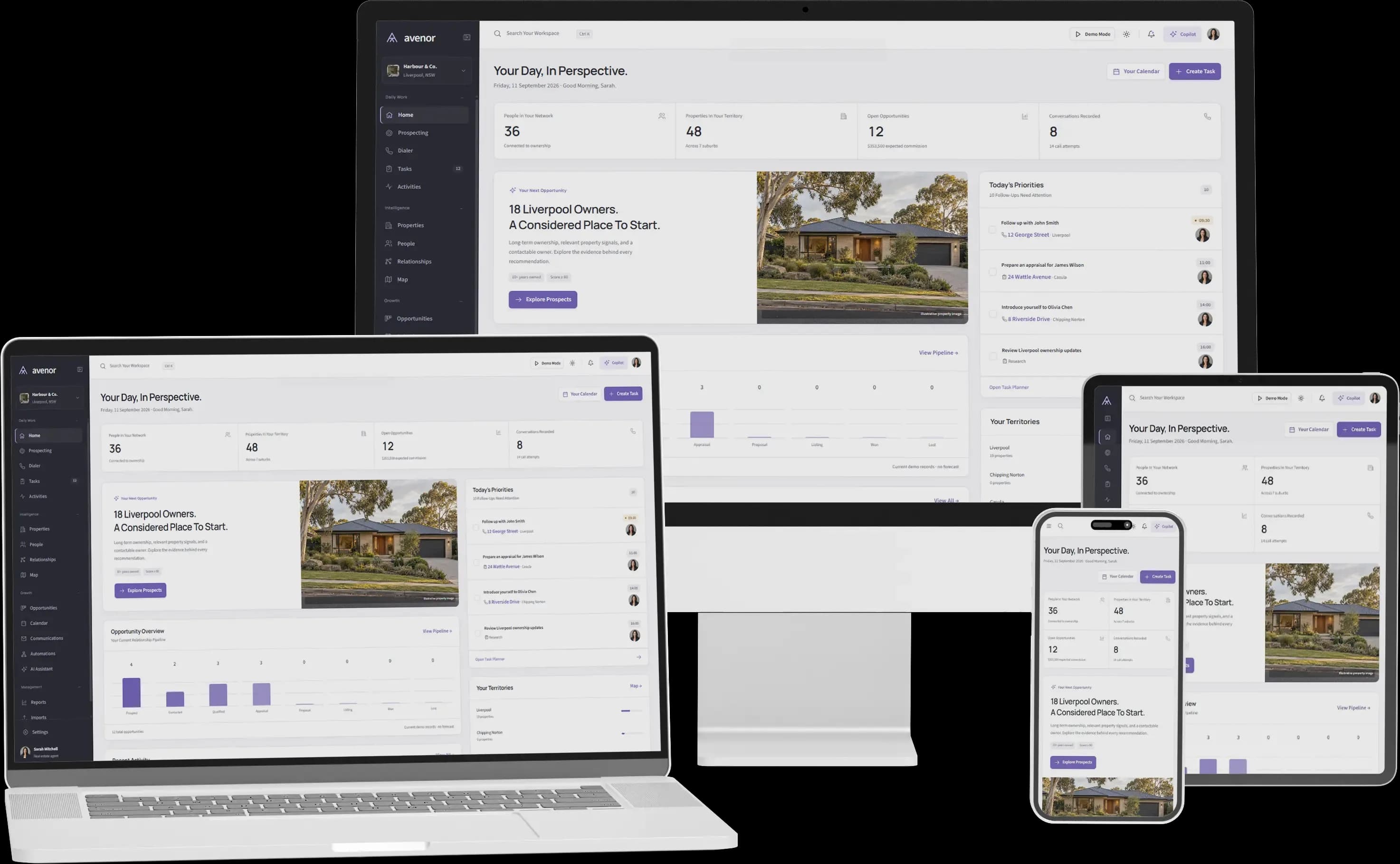
AvenorAvenor — delivered project interfaceACTUAL PROJECT · CUSTOM CRM / PROPERTY INTELLIGENCE

PROPERTY INTELLIGENCE PLATFORM

A CRM shaped around property prospecting.

Property teams need more than a name and an email address. Avenor combines relationship views with property intelligence, maps, a power dialer, automation and AI insights.

The delivered platform demonstrates how customer management can sit alongside the specialist data and tools a team uses every day.

  • Custom CRM
  • Workflow automation
  • AI insights
View Avenor case study (opens in a new tab)

A CRM your team can adopt.
Not just another database.

A good interface matters. So do the data you bring into it, the systems around it and the people expected to use it.

Make the data usable

Review existing records, duplicates and field mappings. Agree which data to move and how to check it before the switch.

Connect the everyday tools

Assess email, enquiry forms, calendars, telephony and operational systems against supported APIs and your access requirements.

Build with the people using it

Validate core journeys with your team. Keep permissions, training and a manageable rollout in the delivery plan.

From your sales process to your CRM.

  1. 01

    Understand the relationship

    Map customer types, sales stages, follow-ups and handovers with your team.

  2. 02

    Prototype the workspace

    Agree the record structure, permissions and the journeys people will use most.

  3. 03

    Build and prepare the data

    Develop core features and integrations, then validate the migration approach.

  4. 04

    Introduce it to the team

    Test realistic tasks, plan training and refine the CRM from day-to-day feedback.

Custom CRM, or configure what exists?

Have a question specific to your project? Let’s talk it through.

Tell us about your project
01Should we build a CRM instead of using an existing product?

Not automatically. An established CRM may work well if your needs fit its configuration and integrations. A custom CRM becomes worth exploring when specialist workflows, data relationships or operational requirements repeatedly force workarounds.

02Can you migrate our spreadsheets or existing CRM data?

We can assess exports, APIs and data quality, then plan field mapping, duplicate handling and validation. Migration scope depends on the source system and the records you need to retain.

03Can different teams have different access?

Role-based access can be included in the requirements. We define which teams can view or change records, how ownership works and which actions need an audit trail.

04Can it connect to email, forms and other software?

We review the relevant APIs, permissions and vendor limits before proposing integrations. The aim is to reduce repeat entry and keep useful context connected, with clear handling when synchronisation fails.

05What determines the budget and delivery timeline?

The number of workflows, data complexity, integrations, reporting and migration work are the main factors. We can prioritise a usable first version and estimate delivery after discovery.

Tell us how your customer journey works.

A useful CRM starts with your process. Tell us where visibility or follow-up breaks down.

USEFUL THINGS TO SHARE
  • Your current CRM or spreadsheets
  • Your sales stages and team handovers
  • The customer data you need to bring together
contact@zakcodex.com
01 Your project02 Your details

Tell us how your customer journey works.

A few details will help us make the conversation useful. All fields are required unless marked optional.

Project requirements
A short overview is perfect.0/2,000

No commitment. Just a useful first conversation.

Tell us about your project